Tutorials
Basic run
The metadynamics run basic is similar to plain molecular dynamics run, except for additional arguments to define the biases.
Run a demo example.
ndsimulator examples/2d-mtd.yaml
The yaml file can be found on the github repo or as shown below. We will explain the arguments one by one in the following section.
root: ./reference
run_name: mtd

ndim: 2
potential: Mueller2d
x0:
- 22.0
- 30.0
mass: 1.0

method: md
temperature: 300
integration: langevin
gamma: 0.1
steps: 100000
dt: 1.0

biases:
- mtd
mtd_biasf: 10.0
mtd_dep_freq: 100
mtd_sigma:
- 2.0
- 2.0
mtd_w: 0.05

plot: true
plot_bias: true
oneplot: true
plot_boundary:
- - 0.0
  - 48.0
- - 0.0
  - 40.0
plot_ebound:
- -1.4
- 0.2
plot_freq: 10
plot_increment:
- 1.0
- 1.0
movie: false

dump: true
dump_freq: 1000

verbose: debug
With the arguments
root: ./referenceandrun_name: mtd, the call will generate a folder in reference/mtdls reference/mtd/ $ colvar.dat fix0.dat force.dat log oneplot.png pos.dat thermo.dat velocity.dat
the additional
fix0.datfile store the indices, locations (x, y), and height of the deposited gaussian biases in the order ofindex bias_x bias_y sigma_x sigma_y w`The simulation result is automatically visualized in the
oneplot.png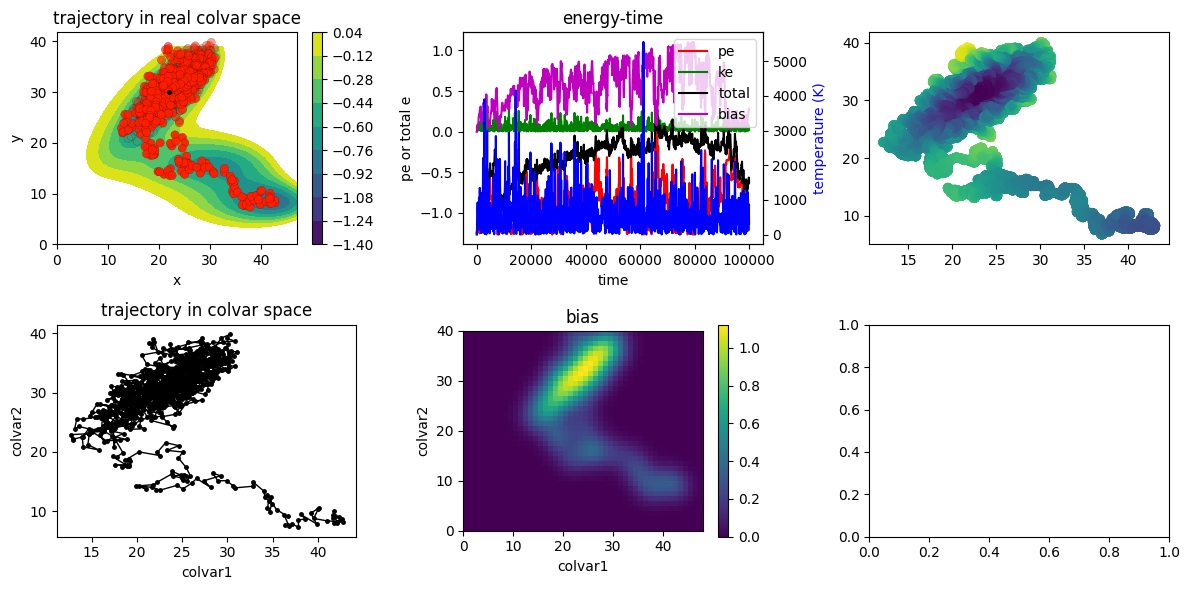
the arguments and equations see Gaussian
Tunning the parameters
deposition